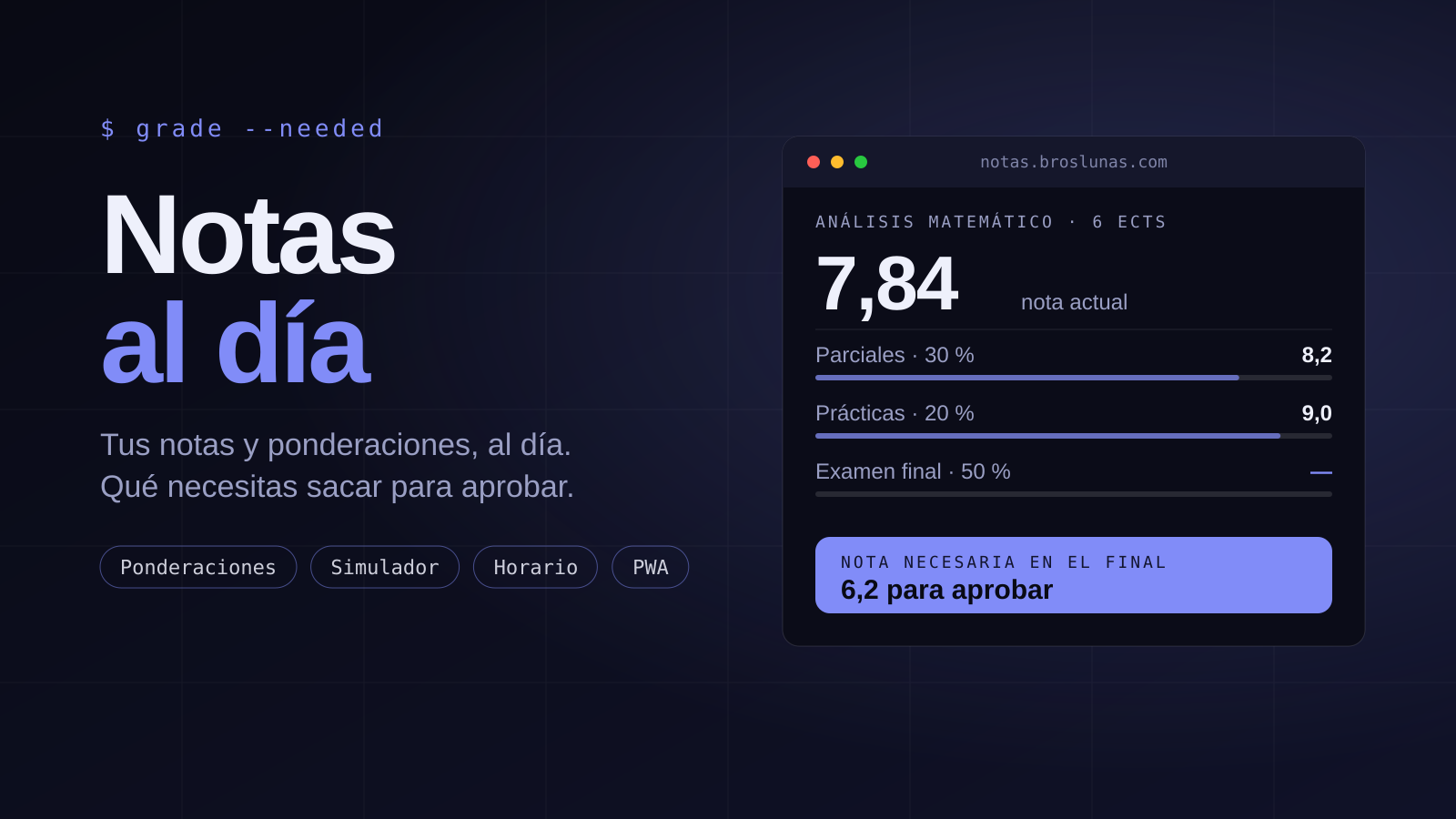
Spreadsheets hold up until a teacher says "the worst practical is dropped" or "you need a 4 in the final for it to count". I wanted a tool that kept my grades and answered one question: how much do I need to pass.
The result is Notas, a multi-user web app in Spanish, with Google sign-in and installable as a PWA. I built it in two days, with 80 commits and 758 passing tests.
§ 01Real weightings
A subject has weighted categories (Midterms 30%, Practicals 20%, Final 50%), individual weights inside each, assessments with sub-parts and periodic series: you enter "Practical 1…N" and it expands into regular assessments you then edit one by one. Each subject configures its own scale, decimals, rounding and pass mark.
On top of that go the rules that show up in course guides: a minimum per part (forced fail or just a warning), dropping the worst grade, resits with several modes, a cap and bonus points.
§ 02The engine is a library, not a component
All the maths lives in src/lib/grading, with no UI or database dependencies and decimal arithmetic so floating-point errors do not creep into rounding. It has example tests and property-based tests with fast-check. The interface only renders what the engine returns, including the "how is this calculated?" trace.
§ 03Needed grade and simulator
From what is already graded, the engine computes the grade needed in what is pending to reach a pass or your own target, the range between the best and worst case, and warns when passing is already impossible. The simulator lets you try hypothetical grades that are never saved. Term and degree averages are weighted by ECTS credits.
§ 04A timetable the AI proposes
Each term has its weekly timetable. An AI assistant can create it from what you tell it and it is edited in natural language, but it never saves blindly: it shows an editable preview and only what you confirm is applied. Classes show up in the calendar, send a push before they start and use the degree's time zone.
§ 05Reminders and calendar
Dated assessments appear in a monthly calendar and an agenda. Reminders arrive as PWA push and by email, triggered from a database cron. There is also an optional Google Calendar sync, switched off by default with an environment variable.
§ 06Sharing without opening the account
You can share a degree, a term or a subject with a read-only link you can revoke whenever you like and that can expire. There is also export and import in JSON, CSV and PDF, and templates to reuse a weighting scheme.
§ 07Security in the database
Every table has RLS with user_id = auth.uid(), and the rules are not taken on trust: 19 SQL files check them against the linked database (npm run test:rls). Attachments go to a private bucket with server-side limits and short-lived signed URLs, and public endpoints are rate limited.
§ 08What I take from it
Writing the requirements and the domain model before the first line —with questionnaires for each big module— made building fast and meant changes of mind cost a document, not a rewrite. And having the engine isolated and well tested let me touch the interface without fear.
You can see it at notas.broslunas.com and read the full case study on the project page.
■ End of post↑ Back to top